GPIO EXTI Block Description
This block enables the usage of GPIO in External Interrupt Mode (EXTI) within STM microcontrollers.
Table of Contents
Inputs
This block has no inputs.
Outputs
| Output Name | Type | Description |
|---|---|---|
| Rising edge IRQ | bool | Conditional output Output port returning an interrupt trigger on a rising edge signal. This port is accessible when the Select Edge parameter is configured to Rising. |
| Falling edge IRQ | bool | Conditional output Output port returning an interrupt trigger on a falling edge signal. This port is accessible when the Select Edge parameter is configured to Falling. |
| Rising/Falling edge IRQ | bool | Conditional output Output port returning an interrupt trigger on both rising and falling edge signals. This port is accessible when the Select Edge parameter is configured to Rising/Falling. |
Block Parameters
| Parameter | Description |
|---|---|
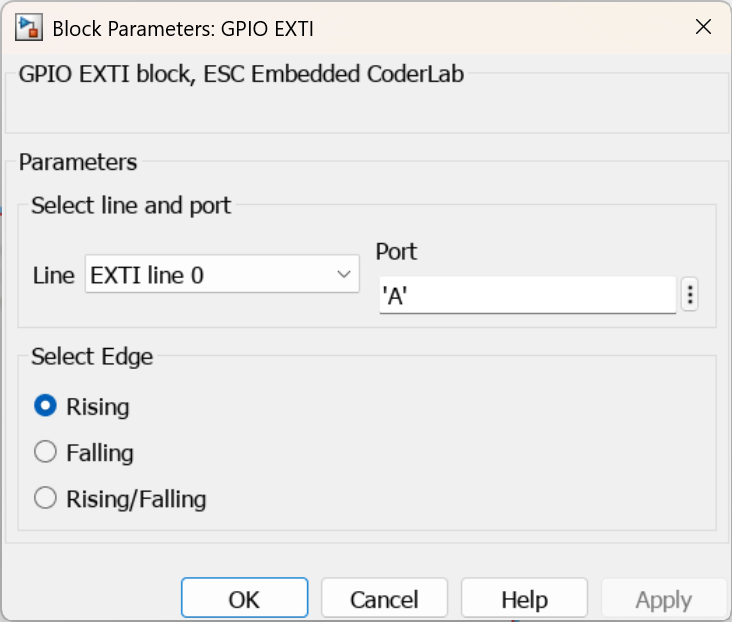
| Line | EXTI hardware line index number. |
| Port | GPIO port identifier letter, e.g., 'A', 'B', 'C', etc. |
| Select Edge | Configures the edge event condition that triggers the hardware interrupt:Rising – rising edge trigger.Falling – falling edge trigger.Rising/Falling – both edge triggers active. |
CubeMX Configuration for a Given MCU Model
H7
| No. | Name | Path | Setting | Description | Screenshot |
|---|---|---|---|---|---|
| 1 | GPIO PIN as GPIO_EXTI* | Pinout & Configuration > Pinout view > Right-click the selected pin > GPIO_EXTI* | GPIO_EXTI* | Selects the target GPIO pin assigned for EXTI functionality. The pin must be explicitly configured as GPIO_EXTI. | 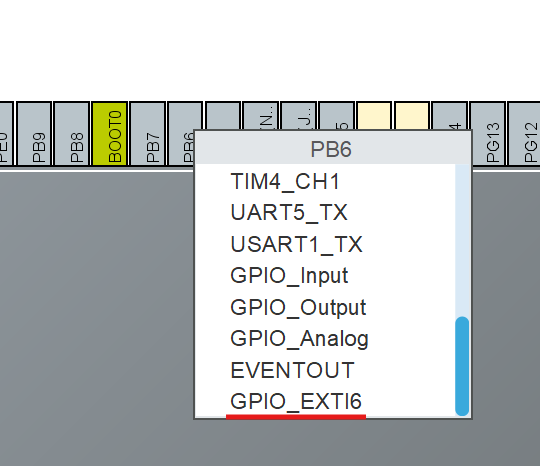 |
| 2 | GPIO Mode | Pinout & Configuration > System Core > GPIO > GPIO > Left-click the selected pin > GPIO Mode | External Interrupt Mode with the selected edge | Selects the operation mode for the GPIO pin. This configuration must match the block parameter setting. | 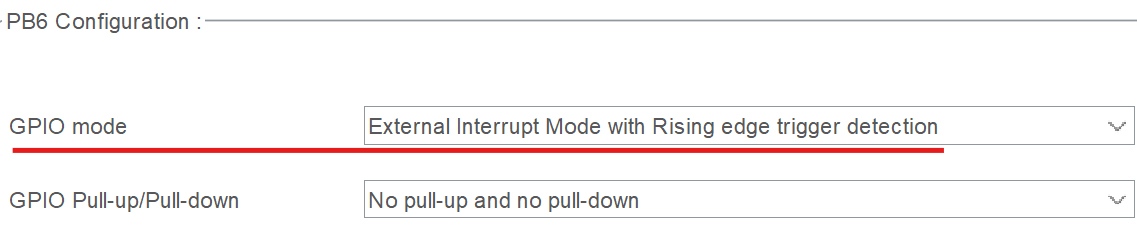 |
| 3 | Interrupts | Pinout & Configuration > System Core > GPIO > NVIC | Enable | Enables the core hardware interrupt channel for the specified GPIO pin. | 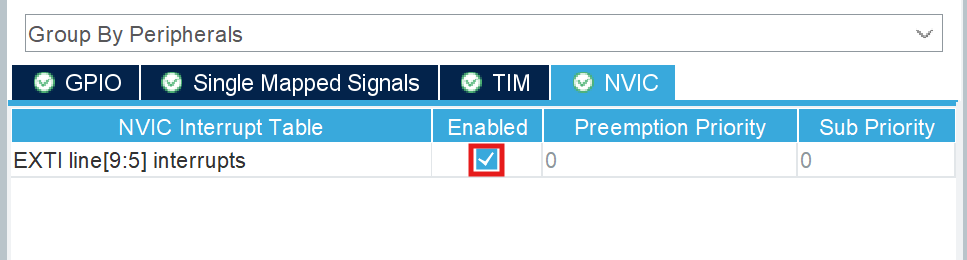 |
| 4 | Preemption and Sub Priority | Pinout & Configuration > System Core > NVIC > NVIC > selected GPIO EXTI line > Preemption Priority and Sub Priority | Select desired user priority values | Configures the relative priority rankings for the designated GPIO pin interrupt. | 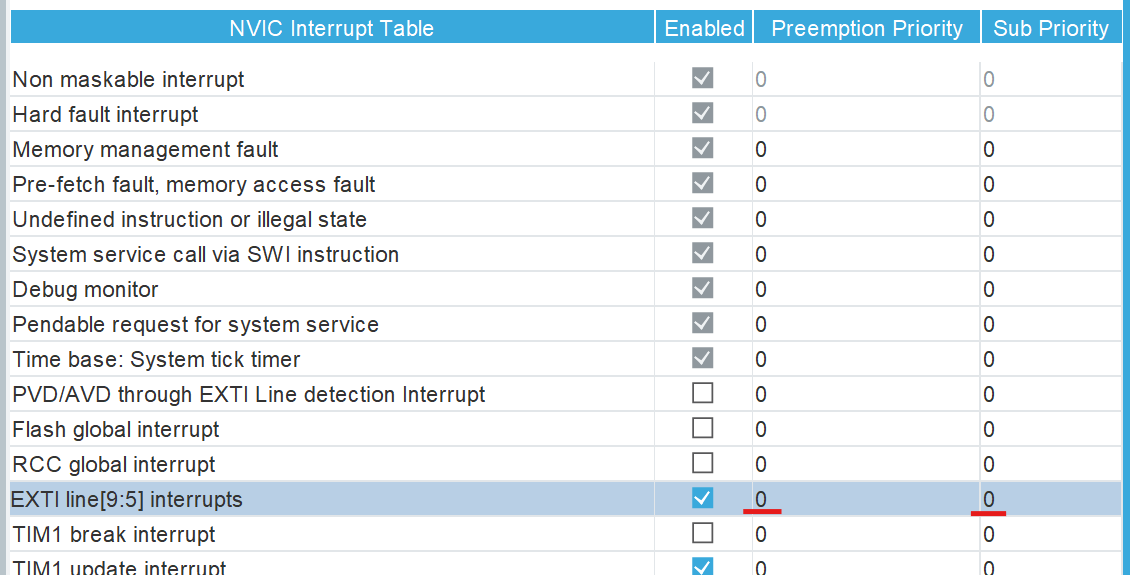 |
| 5 | Generate IRQ handler | Pinout & Configuration > System Core > NVIC > Code generation > Generate IRQ Handler | Enabled | Generates the corresponding interrupt service routine (ISR) function handler for the selected pin. | 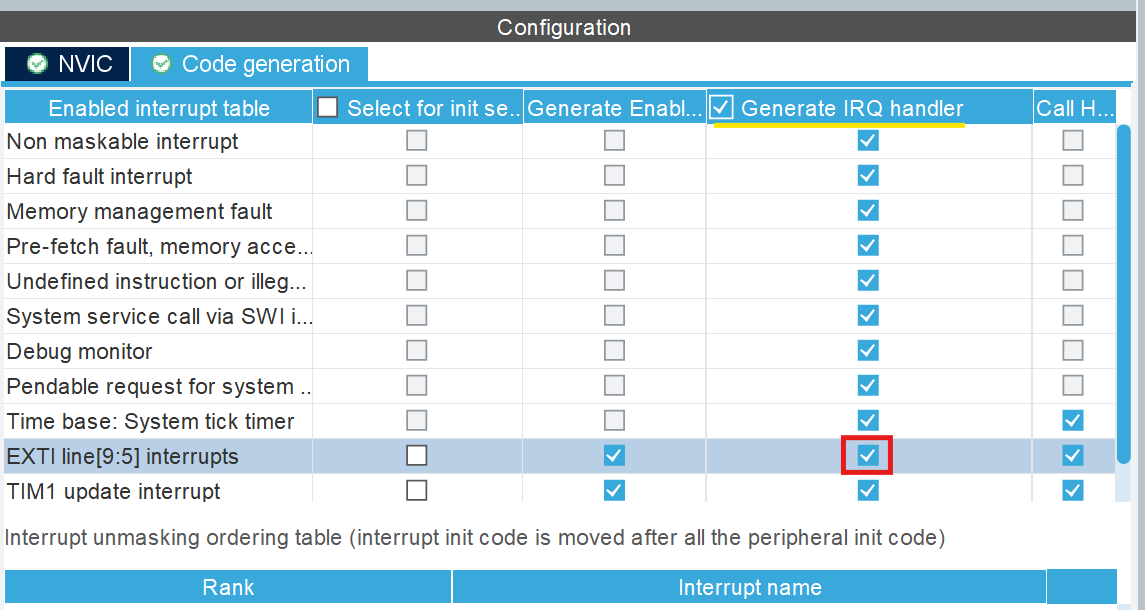 |
GPIO_EXTI* – the * symbol represents the specific EXTI line number assigned to the chosen GPIO pin. Depending on the MCU model, different physical pins map to specific internal EXTI hardware lines.
See Also
Last updated on