CubeMX Configuration for a Given MCU Model
The following section describes the CubeMX configuration required for USB CDC blocks within STM microcontrollers. Please note that these parameters serve as a configuration example and should be tailored to meet the requirements of your specific application.
H7
General CubeMX Settings
In some of the settings presented below, either a Full Speed or High Speed configuration must be applied depending on the target data transmission speed.
| No. | Name | Path | Setting | Setting Description | Screenshot |
|---|---|---|---|---|---|
| 1 | Internal / External Phy | Pinout & Configuration > Connectivity > USB_OTG_FS/HS > Mode > Internal / External Phy | Device_Only | Configures Internal Phy or External Phy as Device_Only. Internal Phy utilizes the embedded hardware to handle USB communications, whereas External Phy interfaces with an external integrated circuit. | 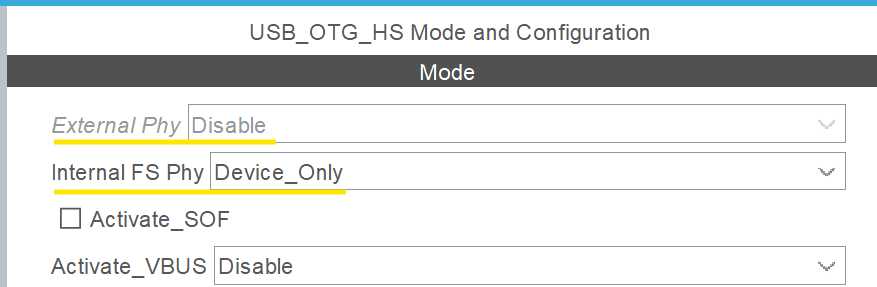 |
| 2 | Speed | Pinout & Configuration > Connectivity > USB_OTG_FS/HS > Parameter Settings > Speed | Full_Speed or High_Speed | Configures the data transmission speed. Select Full_Speed for USB_FS and High_Speed for USB_HS. | 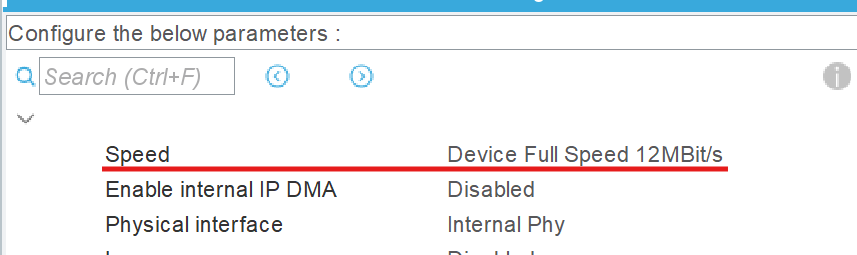 |
| 3 | Enable internal IP DMA | Pinout & Configuration > Connectivity > USB_OTG_FS/HS > Parameter Settings > Enable internal IP DMA | Disabled | Disables the internal DMA engine for the USB peripheral interface. |  |
| 4 | Low power | Pinout & Configuration > Connectivity > USB_OTG_FS/HS > Parameter Settings > Low power | Disabled | Disables low-power mode operations for the USB peripheral interface. | 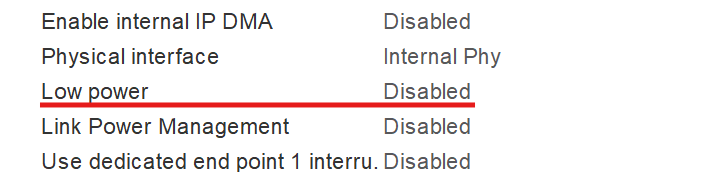 |
| 5 | Use dedicated end point 1 interrupt | Pinout & Configuration > Connectivity > USB_OTG_FS/HS > Parameter Settings > Use dedicated end point 1 interrupt | Disabled | Disables the dedicated hardware interrupt service routine for endpoint 1. |  |
| 6 | VBUS Sensing | Pinout & Configuration > Connectivity > USB_OTG_FS/HS > Parameter Settings > VBUS Sensing | Disabled | Disables the hardware VBUS voltage monitoring and sensing feature. |  |
| 7 | Signal start of frame | Pinout & Configuration > Connectivity > USB_OTG_FS/HS > Parameter Settings > Parameter Setting > Signal start of frame | Disabled | Disables the Start of Frame (SOF) hardware signal output indicator feature. | 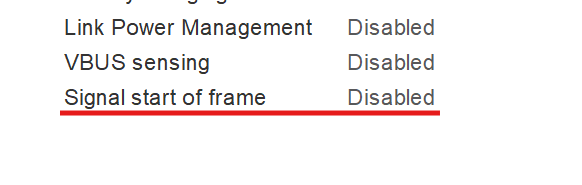 |
| 8 | USB OTG HS/FS Device Global Interrupt | Pinout & Configuration > Connectivity > USB_OTG_FS/HS > NVIC Settings > USB OTG HS/FS Device Global Interrupt | Enabled | Enables the global nested vectored interrupt controller (NVIC) line for the USB interface. |  |
| 9 | Class For HS/FS IP | Pinout & Configuration > Middleware and Software Packs > USB_DEVICE > Class For HS/FS IP | Communication Device Class (Virtual Port Com) | Sets the USB device driver class implementation type to Communication Device Class (Virtual Port Com). | 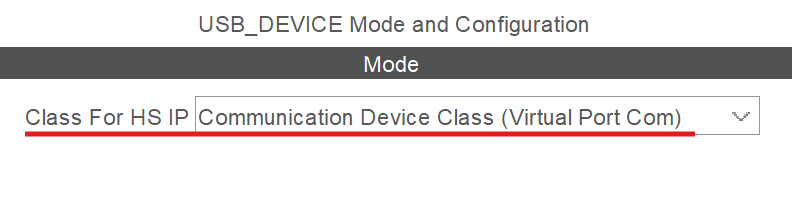 |
| 10 | USBD_LPM_ENABLED (Link Power Management) | Pinout & Configuration > Middleware and Software Packs > USB_DEVICE > Parameter Settings > USBD_LPM_ENABLED | 0: Link Power Management not supported | Disables the Link Power Management (LPM) compliance framework for the USB subsystem. |  |
Last updated on