USB CDC Receive Block Description
This block enables receiving data from the USB receive buffer in CDC (Communication Device Class) mode within STM microcontrollers.
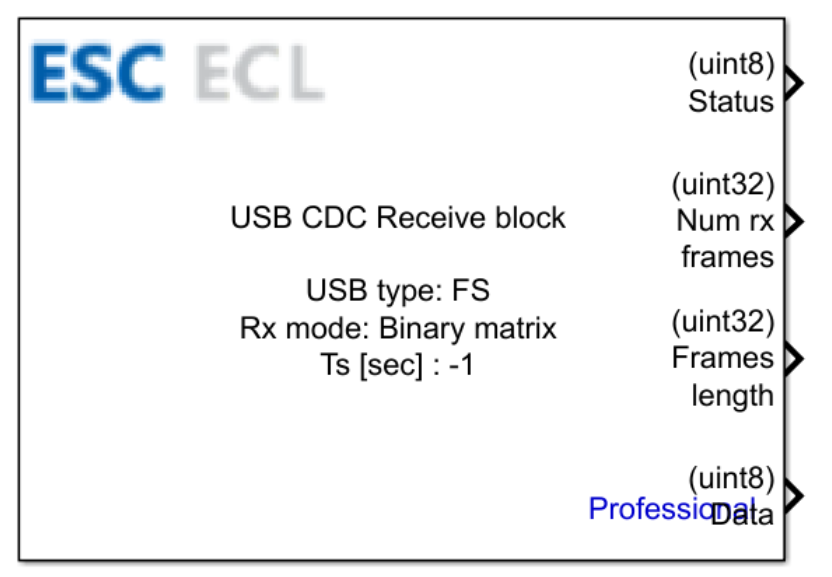
Table of Contents
- Inputs
- Outputs
- Block Parameters
- CubeMX Configuration for a Given MCU Model
- Comments and Troubleshooting
- See Also
Inputs
This block has no inputs.
Outputs
| Output Name | Type | Description |
|---|---|---|
| Status | uint8 | The operational status of the data reception from the Rx buffer. Returns:1 – reception completed successfully0 – reception failed / no data available |
| Num rx frames | uint32 | The total number of received data frames. |
| Frame length | uint32 | The length of the currently received data frame. |
| Data | uint8 | The raw received data payload. |
Block Parameters
| Parameter | Description |
|---|---|
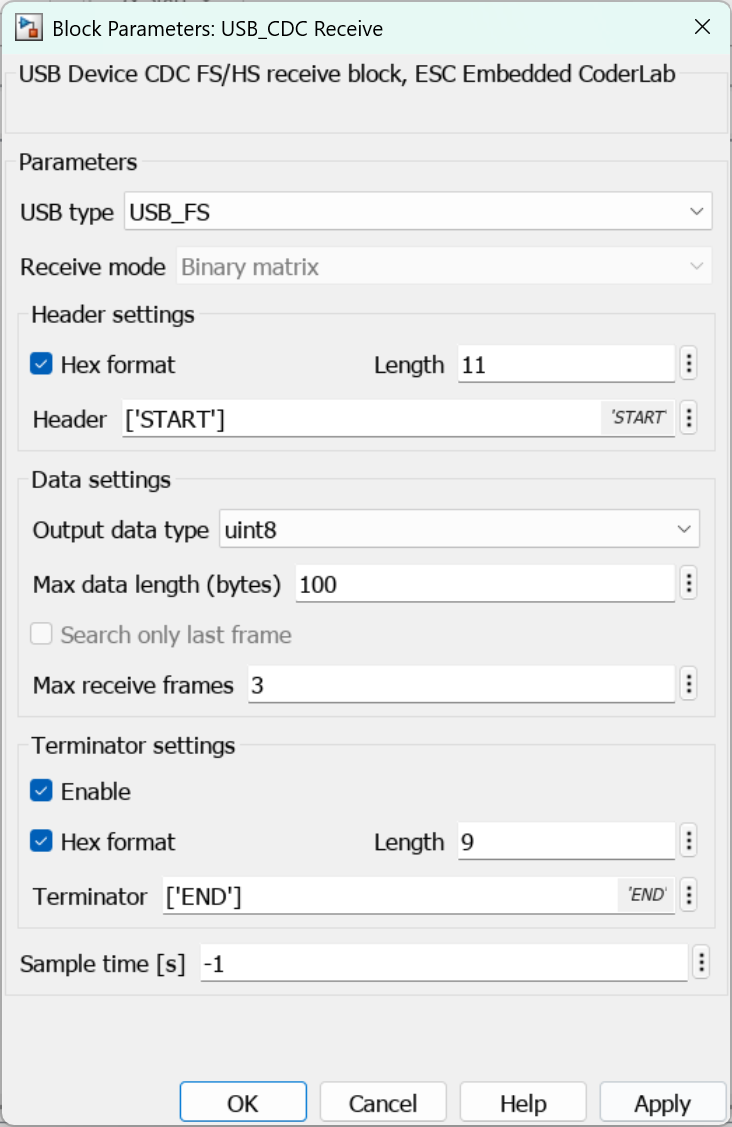
| USB type | The target USB peripheral module type:USB_FS – Full SpeedUSB_HS – High Speed |
| Receive mode | The data reception format mode. The Binary matrix format is selected by default. |
| Hex format | Enables detection of the incoming data header sequence in hexadecimal notation. When activated, characters supplied in the Header parameter are parsed as literal hex values. |
| Length | Conditional Parameter The total length of the header evaluated in Hex format. This parameter is accessible only when the Hex format option is enabled. |
| Header | The pre-defined header sequence expected within the incoming payload stream. If the hex interpretation mode is active, the entered value will be converted to its corresponding hexadecimal bytes. |
| Output data type | The data type configured for the block output signals. |
| Max data length (bytes) | Specifies the maximum byte size allocation for incoming data reception. |
| Search only last frame | Restricts the validation and search for matching headers strictly to the last buffered data frame received. |
| Max receive frames | The maximum total number of buffered frames allowed for simultaneous reception processing. |
| Enable (Terminator settings) | Activates detection and framing options for the trailing payload terminator sequence. |
| Hex format | Conditional Parameter Enables detection of the incoming payload terminator sequence in hexadecimal notation. When activated, characters supplied in the Terminator parameter are parsed as literal hex values. This parameter is accessible only when the Enable (Terminator settings) option is enabled. |
| Length | Conditional Parameter The total length of the terminator evaluated in Hex format. This parameter is accessible only when the Hex format option is enabled. |
| Terminator | Conditional Parameter The terminator data sequence applied to validate packets. This parameter is accessible only when the Enable (Terminator settings) option is enabled. If hex interpretation mode is active, the entered value will be converted to its corresponding hexadecimal bytes. |
| Sample time [ms] | The cyclic execution time interval of the block evaluated in milliseconds. |
CubeMX Configuration for a Given MCU Model
The required hardware peripheral setup is detailed in the dedicated CubeMX Configuration for a Given MCU Model subpage.
Comments and Troubleshooting
USB Receive in FS Mode
To utilize the USB CDC Receive block in FS (Full Speed) mode, the following line of code must be appended to the CDC_Receive_FS function within the usbd_cdc_if.c source file:
USB_CDC_Read_Buff(&hUsbDeviceFS, Buf, Len);Once applied, your project source block implementation should align with the structure below:
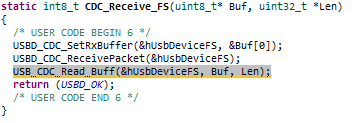
USB CDC Setup Integration in HS Mode
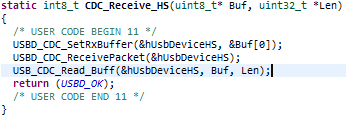
To integrate the USB CDC Setup block configuration inside HS (High Speed) routines, insert the following two source lines within the CDC_Control_HS routine implementation inside the usbd_cdc_if.c file:
USB_CDC_Read_Buff(&hUsbDeviceHS, Buf, Len);After adding the code, the function looks as follows: